
Artificial intelligence has become an important part of everyday life in 2026. From students and freelancers to small business owners and professional content creators, people across the United States and around the world are using AI tools to complete tasks faster, improve productivity, and explore new opportunities online.
What once required specialized skills, expensive software, or hours of manual effort can now be accomplished with the help of accessible AI platforms. Users can generate blog ideas, design marketing graphics, edit videos, summarize documents, write computer code, and organize daily tasks with just a few simple instructions.
One reason for the growing popularity of artificial intelligence is the availability of free tools. Although many platforms offer paid subscriptions, their free versions can provide useful features for beginners, students, freelancers, and businesses working with limited budgets.
However, choosing the right platform matters. Some AI tools are better suited to writing and research, while others focus on graphic design, video production, or workplace productivity. Understanding their strengths can help users save time and choose the tools that best match their needs.
In this guide, we explore some of the best free AI tools in 2026, explain how they work, and discuss practical ways to use them for everyday tasks, content creation, and online business activities.
Why AI Tools Are Becoming More Popular in 2026
The growing interest in AI technology reflects a simple demand: people want to accomplish more without spending unnecessary time on repetitive work.
Tasks such as drafting emails, creating social media captions, preparing presentations, and researching unfamiliar subjects can take considerable time when completed manually. AI assistants can help users produce an initial draft, organize information, and identify ideas that can be developed further.
Businesses are also exploring artificial intelligence to improve customer communication, marketing workflows, data analysis, and internal operations. For small companies, these tools can make certain digital tasks more accessible without requiring a large team or an expensive software budget.
Several factors are contributing to the popularity of free AI platforms.
1. Better Productivity
AI assistants can help users organize projects, summarize lengthy documents, brainstorm ideas, and create first drafts. This allows people to spend more time reviewing information, solving problems, and making important decisions.
2. Easier Content Creation
Bloggers, website owners, and social media managers can use AI to develop outlines, generate headline ideas, prepare content calendars, and improve the clarity of their writing.
The technology does not eliminate the need for editing or original research. Instead, it can support the creative process by helping users move from an idea to a workable draft more efficiently.
3. Affordable Digital Tools
Many AI platforms offer free access with certain usage limits. This gives students, new freelancers, and entrepreneurs an opportunity to experiment with AI before deciding whether a paid subscription is necessary.
Free plans may limit the number of requests, available features, file uploads, or access to advanced models. Users should review each platform’s current terms before relying on it for regular business work.
4. New Skills and Career Opportunities
Knowledge of AI tools can complement skills in writing, marketing, design, programming, and customer service. Freelancers who understand how to use these platforms responsibly may find new ways to improve their workflows and serve clients.
Nevertheless, learning a tool is only one part of professional development. Communication, subject knowledge, problem-solving, and the ability to deliver reliable results remain important.
Best Free AI Tools to Try in 2026
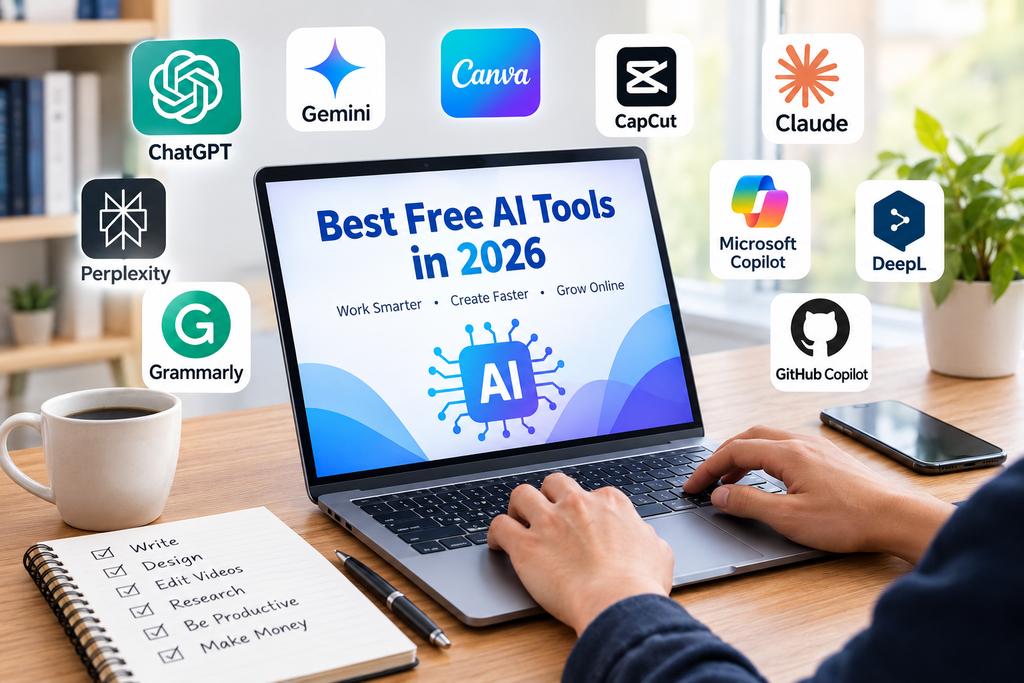
The following platforms cover several common needs, including writing, research, graphic design, and video editing. Each offers a different approach, so the best choice depends on the task you want to complete.
1. ChatGPT: An AI Assistant for Writing, Research, and Everyday Tasks
ChatGPT is a widely used AI assistant developed by OpenAI. It can help users brainstorm ideas, explain complicated subjects, draft emails, summarize supplied text, generate code, and organize information.
For bloggers and website owners, ChatGPT can be useful during several stages of content production. It can suggest article structures, identify questions readers may ask, propose headline variations, and help improve readability.
Students can use it to understand difficult concepts, create practice questions, and develop study plans. Freelancers may use it to draft proposals, prepare client questions, or organize project requirements.
Best uses:
- Blog outlines and content planning.
- Email drafting and editing.
- Brainstorming and creative writing.
- Coding assistance and troubleshooting.
- Study support and explanations.
ChatGPT offers a free plan, although access to certain models and features may be limited. Users should verify the current plan details before depending on a specific capability.
Official website: https://chatgpt.com/

2. Google Gemini: Useful for Research and Productivity
Google Gemini is an AI assistant that can help users explore ideas, understand information, draft content, and work through everyday questions.
It can be useful when planning an article, preparing a presentation, comparing concepts, or developing a list of questions for further research. Depending on account access and available features, Gemini may also work with supported Google services.
For students and professionals, the platform can provide explanations, summarize information, and suggest ways to organize a project. Website owners can use it to brainstorm topics and develop preliminary content outlines.
However, AI-generated answers are not always accurate or complete. Important facts, statistics, quotations, and current developments should be checked against reliable sources before publication.
Best uses:
- Research assistance and brainstorming.
- Summarizing information.
- Drafting and refining written content.
- Planning projects and presentations.
- Exploring unfamiliar subjects.
Gemini provides free access with feature and usage limitations that can vary by region and account.
Official website: https://gemini.google.com/
3. Canva AI: Create Graphics Without Advanced Design Skills
Canva is a popular graphic design platform that helps users create visual content for websites, social media, presentations, and marketing campaigns.
Its AI-powered features can assist with generating design ideas, editing images, creating text, and developing visual layouts. The exact tools available depend on the user’s plan and the features currently offered in their region.
For bloggers and digital publishers, Canva can be particularly helpful when preparing featured images, article graphics, Pinterest pins, YouTube thumbnails, and social media posts.
Small business owners can also use it to create promotional materials without needing extensive experience with professional design software.
Best uses:
- Blog featured images and graphics.
- Social media posts.
- YouTube thumbnails.
- Business presentations.
- Marketing materials and posters.
Canva offers a free plan, but some premium templates, AI features, stock assets, and design tools may require payment.
Official website: https://www.canva.com/
4. CapCut: AI-Assisted Video Editing for Content Creators
Video content remains important for platforms such as YouTube, Instagram, and TikTok. CapCut offers editing tools that help creators produce videos for different formats and audiences.
Depending on availability, its AI-assisted features can include automatic captions, background removal, text-based editing, and tools for adapting videos to short-form content.
Beginners may find these features helpful because they reduce the amount of manual editing needed for routine projects. A creator can use the platform to prepare subtitles, trim clips, improve presentation, and assemble footage into a more polished video.
AI-generated captions should still be reviewed carefully, especially when videos contain names, technical terms, or unfamiliar accents.
Best uses:
- Short-form social media videos.
- Automatic subtitles and captions.
- Basic video editing.
- Promotional clips.
- Repurposing longer videos into shorter content.
CapCut offers free editing options, but feature availability and pricing vary by region, device, and subscription plan.
Official website: https://www.capcut.com/
5. Claude: Helpful for Writing and Working With Long Documents
Claude, developed by Anthropic, is an AI assistant designed to support writing, analysis, coding, and other knowledge-based tasks.
It can help users revise drafts, organize complicated information, explain concepts, and analyze documents supplied by the user. Writers may find it useful when they need to improve the structure and flow of an article while preserving a consistent tone.
Professionals can also use it to brainstorm ideas, review text, and identify sections that may need clarification.
As with other AI assistants, Claude’s output should be treated as a starting point rather than an automatically verified final answer. Its free access and available features are subject to usage limits and current plan conditions.
Best uses:
- Editing and improving written content.
- Summarizing supported documents.
- Brainstorming and outlining.
- Coding assistance.
- Organizing complex information.
Official website: https://claude.ai/
6. Perplexity: AI-Assisted Search and Source Discovery
Perplexity is an AI-powered search and answer platform designed to help users explore questions and discover relevant sources.
Unlike a traditional search experience focused mainly on lists of webpages, it can provide a synthesized response alongside source links. This can make it useful when beginning research on a topic or identifying websites that may contain relevant information.
Bloggers and journalists can use it to find background material, discover different perspectives, and locate primary sources for further review.
However, source links do not automatically guarantee that every statement in an answer is correct. Users should open the original pages, confirm dates, and check whether a source actually supports the claim being made.
Best uses:
- Preliminary online research.
- Finding relevant source material.
- Exploring unfamiliar subjects.
- Comparing published information.
- Identifying sources for fact-checking.
Perplexity provides free access with limits on certain features and more advanced searches.
Official website: https://www.perplexity.ai/
7. Grammarly: Improve Grammar, Clarity, and Professional Writing
Grammarly is a writing assistance platform that helps users identify grammatical errors, improve sentence clarity, and adjust the tone of their writing.
It can be useful for students preparing assignments, freelancers communicating with clients, and business owners writing emails or website copy.
For website publishers, clear writing helps readers understand information without unnecessary confusion. Grammarly can identify awkward phrasing and common mistakes that may otherwise remain in a draft.
Its suggestions should still be reviewed. A grammatically correct sentence is not necessarily accurate, persuasive, or appropriate for every audience.
Best uses:
- Grammar and spelling checks.
- Professional emails.
- Improving sentence clarity.
- Reviewing website copy.
- Polishing business documents.
Grammarly offers free writing assistance, while certain advanced features require a paid plan.
Official website: https://www.grammarly.com/
8. Microsoft Copilot: AI Assistance for Everyday Work
Microsoft Copilot provides AI-assisted support for tasks such as answering questions, generating ideas, summarizing information, and preparing written content.
Depending on the product version, account, and subscription, Copilot may also integrate with Microsoft applications and workplace services.
Students can use it to explore subjects and plan presentations, while professionals may find it helpful for brainstorming, drafting messages, and organizing work.
Businesses should carefully review which Copilot version they are using because features, data protections, and integration options differ across consumer and commercial products.
Best uses:
- Drafting and editing text.
- Brainstorming ideas.
- Summarizing information.
- Preparing presentations.
- Supporting everyday productivity.
Free access is available for certain Copilot experiences, but advanced workplace features may require a subscription.
Official website: https://copilot.microsoft.com/

9. DeepL: AI Translation and Writing Assistance
DeepL provides translation services and writing tools that can help users communicate across languages.
It may be especially useful for freelancers working with international clients, businesses preparing multilingual materials, and website owners who want to explore content for audiences in different countries.
Translation software can help create an initial version of a document, but human review remains important for cultural references, technical language, legal information, and sensitive communications.
Users should also check the platform’s current language support, usage limits, and available features before starting a large translation project.
Best uses:
- Translating documents and text.
- Understanding foreign-language material.
- Preparing multilingual communications.
- Improving selected writing tasks.
- Supporting international collaboration.
DeepL offers free services with restrictions that vary by product and usage.
Official website: https://www.deepl.com/
10. GitHub Copilot: AI Support for Programming
GitHub Copilot is an AI-powered coding assistant designed to help developers write, understand, and improve computer code.
It can suggest code completions, explain programming concepts, and assist with routine development tasks. This may help beginners learn unfamiliar programming patterns and allow experienced developers to spend less time on repetitive work.
However, generated code can contain bugs, security weaknesses, or incorrect assumptions. Developers should test suggestions, review dependencies, and understand what the code does before using it in production.
GitHub Copilot has offered free access options for eligible users, but eligibility, usage limits, and available capabilities can change.
Best uses:
- Code suggestions and completion.
- Learning programming concepts.
- Debugging assistance.
- Understanding unfamiliar code.
- Supporting routine development work.
How to Choose the Right Free AI Tool
With so many platforms available, choosing a tool can feel confusing. The simplest approach is to begin with the task you need to complete rather than trying every available service.
| Your main goal | Tools worth considering |
|---|---|
| Writing and brainstorming | ChatGPT, Claude |
| Research and source discovery | Perplexity, Gemini |
| Graphic design and thumbnails | Canva |
| Video editing and captions | CapCut |
| Grammar and clarity | Grammarly |
| Microsoft-based productivity | Microsoft Copilot |
| Translation | DeepL |
| Programming assistance | GitHub Copilot |
This table is a practical starting point rather than a definitive ranking. The most suitable platform depends on the features available to you, your workflow, and whether its free usage limits meet your needs.
Before creating an account, check the platform’s official website for current pricing, usage restrictions, supported devices, and regional availability.
How People Can Use AI Tools to Earn Money Online
Artificial intelligence has created additional ways for people to deliver digital services. However, using AI does not guarantee income. Success still depends on the quality of the work, the ability to find customers, and the value delivered to clients.
Here are several practical opportunities worth exploring.
Freelance Writing and Editing
Freelancers can use AI assistants to brainstorm article ideas, prepare outlines, improve sentence clarity, and organize research.
Clients still need original work that meets their requirements. Writers should verify factual claims, follow editorial guidelines, and ensure the finished content reflects genuine research and human judgment.
Blogging and Website Management
Website owners can use AI to plan editorial calendars, generate headline ideas, create content outlines, and prepare social media promotions.
For publishers targeting US readers, it is important to address the audience’s actual questions, use relevant examples, and verify information using trustworthy sources.
Publishing large quantities of unedited, repetitive AI-generated content is not a reliable long-term strategy. Useful information, originality, accuracy, and reader satisfaction should remain the priorities.
YouTube and Short-Form Video Production
Creators can combine AI-assisted scripting, video editing, caption generation, and thumbnail design to streamline their production process.
For example, a creator might use ChatGPT to brainstorm a video outline, CapCut to edit the footage, and Canva to prepare a thumbnail.
The final video should still offer a clear purpose, meaningful commentary, accurate information, and appropriate rights to the footage, music, and images being used.
Social Media Management
Small businesses often need help preparing posts, writing captions, planning content calendars, and maintaining consistent communication with customers.
AI tools can assist with these tasks, while a human manager ensures that the content reflects the business’s voice and responds appropriately to its audience.
Website Development
People with web development skills can use AI coding assistants to explore solutions, draft basic code, and troubleshoot errors.
These tools may help reduce repetitive work, but websites still require testing, accessibility checks, security reviews, and maintenance.
The strongest opportunities generally combine AI with a useful professional skill rather than relying on automation alone.
Important Things to Know Before Using Free AI Tools
Although AI platforms can be helpful, users should understand their limitations before relying on them for important work.
AI Can Produce Incorrect Information
AI systems may generate convincing statements that contain mistakes, outdated details, or unsupported claims. Verify statistics, news developments, technical advice, and other important information before publishing or acting on it.
Free Plans Have Limitations
A platform may restrict the number of messages, image generations, file uploads, or advanced searches available without payment. Features may also change over time.
Check the current terms before building a business workflow around a specific free feature.
Protect Your Privacy
Avoid entering passwords, confidential client documents, financial account information, or sensitive personal data into an AI tool unless you have verified that the service and your account settings are appropriate for that use.
Businesses should establish clear rules for handling confidential information and review the privacy terms of any platform they adopt.
Copyright and Content Quality Still Matter
AI assistance does not automatically establish that an image, article, video, or other output is free from copyright concerns. Review relevant platform terms, obtain appropriate permissions, and check the rights associated with third-party material.
For publishers, the safest approach is to create useful original content, verify its accuracy, and avoid copying other websites or presenting unverified claims as facts.
Frequently Asked Questions About Free AI Tools in 2026
What are the best free AI tools in 2026?
Useful options include ChatGPT for general assistance, Gemini for research and productivity, Canva for graphic design, CapCut for video editing, Perplexity for source discovery, and Grammarly for writing support. The best choice depends on your needs and the features available under each free plan.
Can I use AI tools without paying?
Yes. Several platforms offer free plans or free access options. However, usage limits, advanced features, and eligibility requirements vary. Always check the official pricing page before relying on a particular feature.
Which free AI tools are useful for beginners?
ChatGPT, Gemini, Canva, and Grammarly are reasonable starting points for people who want help with writing, brainstorming, graphic design, and editing. Beginners can start with one tool and gradually explore others as their needs develop.
Can AI tools help me earn money online?
They can support services such as writing, graphic design, video editing, website development, and social media management. However, earning money requires marketable skills, reliable work, effective communication, and customers who value the service.
Is AI-generated content suitable for Google AdSense websites?
AI-assisted content can be published, but using AI does not guarantee search visibility or AdSense approval. Publishers should focus on original, helpful, accurate content that provides genuine value to readers. They should avoid mass-producing low-value pages, copying other websites, or publishing unverified information.
Are free AI tools safe to use?
Many people use AI tools for routine tasks, but safety depends on the service, the information being shared, and the account’s privacy settings. Read the relevant privacy policy and avoid uploading sensitive information without understanding how it may be processed.